Product & UX Design
Product design for the tools people use all day at work.
Discovery, research, prototyping and design systems for the software people sit in front of at work. Most of our work is on dense B2B tools, where one badly placed field means the team builds a spreadsheet on the side and stops using the screen.
What you end up with
- Find out what to build from real users before paying engineers to build it
- Cut training time and support tickets because the screens explain themselves
- Ship consistent screens faster, with a design system the engineers use every day
- Meet WCAG accessibility standards, and the contracts that now ask for them
Most projects start with a fixed-price discovery, so you have a scoped plan and an estimate in hand before you commit to a build.
Overview
What is different about designing tools for work
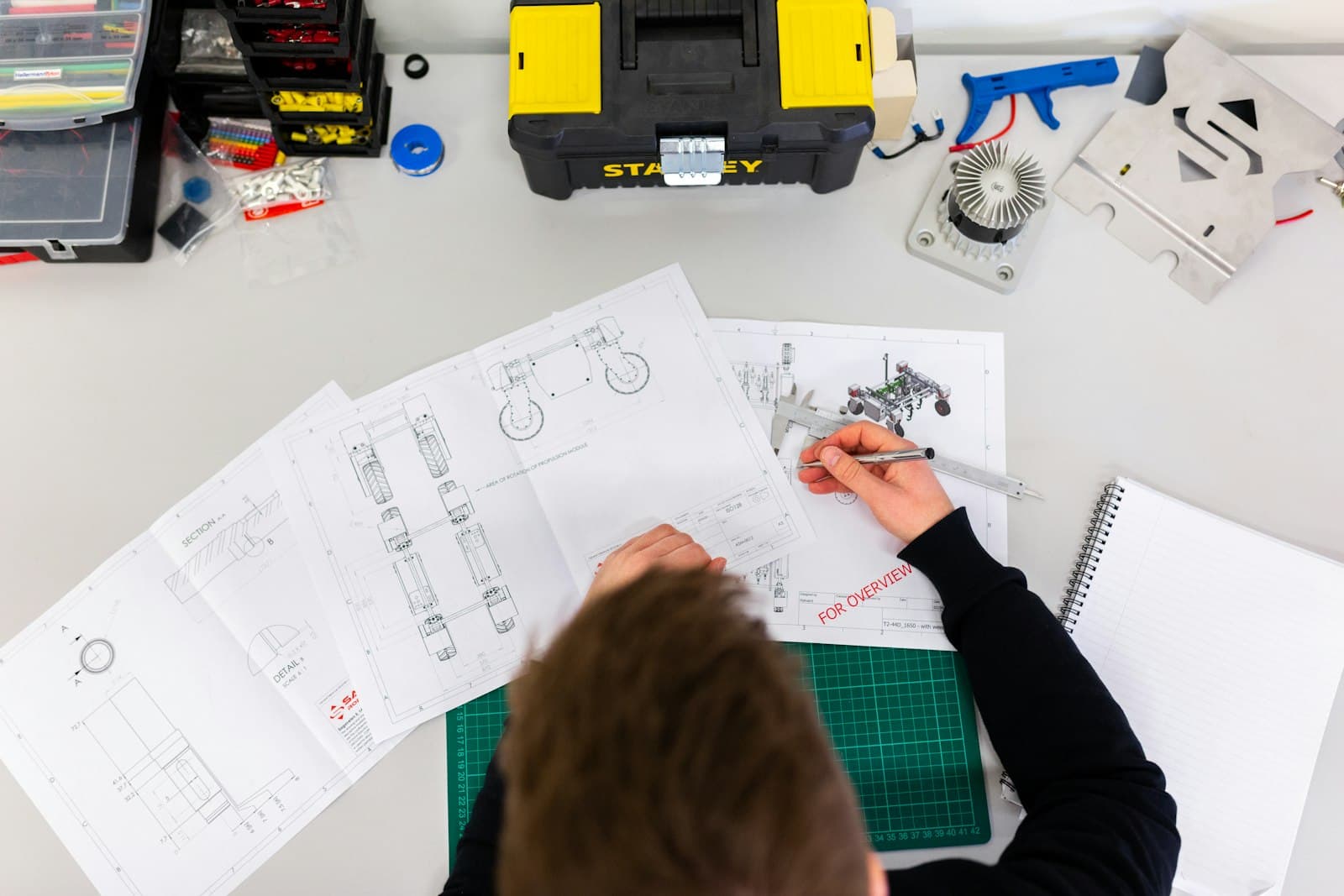
Most business software is used by people who never chose it. They use it for hours at a time, and the jobs have real consequences. They are dispatching lorries, approving loans, reading patient records or reconciling orders. That is a different job from designing a landing page. You have to understand the workflow in detail, including the parts people still do on paper. Density matters, because expert users want a lot on one screen and hate paging through it. And the small interactions have to be right, because a form somebody fills in a thousand times a day will find every tab-order mistake.
Our designers and engineers sit in the same team throughout, first interview to last release. Research and prototyping come first, so the big decisions get made before there is any code to throw away. The design system lives in Figma and Storybook at once, so engineers build from the same components the designers used. Accessibility is in the definition of done for every ticket. Leaving it to an audit at the end turns up the same problems after the screens have shipped, when each one costs more to fix.
What's included
The kinds of work this covers.
- 01
Product discovery and user research
Interviews with stakeholders and users, time spent watching how the work is really done (which is rarely how the process document says), workflow mapping, and a ranked problem statement everyone can sign up to.
- 02
Prototyping and validation
Paper sketches first, then clickable screens, tested with real users and revised within days. Most of the arguments about flow get settled here, where changing your mind costs an afternoon.
- 03
Interface design for complex, data-dense tools
Tables, filters, forms, dashboards, multi-step workflows and admin screens, designed for expert users who want to get through the work quickly and will not read a tooltip twice.
- 04
Design systems and component libraries
Tokens, components and patterns documented in Figma and built in Storybook. Design and engineering look at the same thing across every product and team.
- 05
Accessibility and inclusive design
WCAG 2.2 AA as the baseline. Keyboard access, screen-reader support, colour contrast and cognitive load are considered from the first wireframe, and audited so you can prove it.
- 06
UX review of existing products
A heuristic review, a look at the analytics and user testing of what you already have. You get a ranked list of fixes with the effort and likely effect of each, so you can start on Monday.
Is it right for you?
A good fit if
- You are starting a new product and want evidence before committing the engineering budget
- An existing tool works, but users need a training day, a workaround or a printed manual to get through it
- Your product has drifted, and the same button looks different depending on which team built the screen
- Accessibility is in the contract, the law or the procurement checklist
- Design and engineering are working from different assumptions and finding out in QA
How we approach it
The steps between a first call and go-live.
Discover
Two to four weeks of interviews, observation and analysis to understand the users, workflows and constraints. You come out of it with a problem framing, workflow maps and a ranked list of opportunities.
Explore and prototype
Concepts sketched, prototyped and put in front of real users in short rounds. We settle on the flows and screen structures that hold up when someone uses them for a real task.
Design the system
Detailed screens for every state, including empty, loading and error, plus a design system built as components with engineering, so nothing gets signed off that cannot be built.
Support the build and learn
Designers stay with the build to review what is implemented and fill the gaps nobody anticipated, then adjust to what real usage shows. Analytics and testing feed the next round.
Deliverables
What you'll have at the end.
- Research findings, workflow maps and problem statements
- Tested prototypes, with a note of what changed between rounds and why
- Complete UI designs covering every state and breakpoint
- Design system in Figma with tokens, components and notes on how to use them
- Accessibility audit and a plan for fixing what it finds
- Design QA during the build, and hand-over documentation
Typical stack
The tools we tend to use for this.
Questions
Questions about this service.
Do you do design without development?
Yes. Some clients bring us in for discovery, prototyping or a design system and build with their own engineers. You get the Figma files, documented components and specifications, and we can review the build as it goes if you want a second pair of eyes.
How much does a design engagement cost?
A discovery and prototyping phase typically runs £15k to £45k over three to six weeks. Full design for a new product, including a design system, is more often £40k to £120k depending on scope, and it is usually part of a wider build with us.
How do you handle user research when we cannot give you access to customers?
We work with proxies where we have to, such as customer-facing staff, support logs, analytics and recorded sessions. We are open about how far those go. Even two or three real conversations change decisions, so we will keep pushing for direct access.
How do you work with our engineers?
As one team. Designers join the stand-ups, work in the same tools, review pull requests for visual and interaction fidelity, and build the design system with the front-end developers. So there is one set of components, and the Figma file and the codebase agree.
Can you make our existing product accessible?
Yes. We audit against WCAG 2.2, rank the issues by who they affect and the effort each takes, and fix them in the design system and the code. That way the fix holds across the whole product.
Related services
Industries
- Healthcare & Life SciencesSoftware for patients and clinicians that handles sensitive data properly.
- Fintech & Financial ServicesLending, payments and wealth platforms for firms the FCA regulates.
- Professional Services & B2BClient portals, engagement tools and internal platforms for firms that sell expertise.